

Introduction
Imagine a potential client searching Google for "skin clinic near me", "laser hair removal in Cork" or "best facial in Dublin".
They're actively looking for a treatment or service that your salon or clinic offers. But the question is, is your business showing up when they're searching?
For many salon and clinic owners, Instagram is the first place they focus their marketing efforts. And while social media is incredibly valuable for building brand awareness and trust, there's another platform that deserves just as much attention: Google.
Unlike someone scrolling through Instagram, a person searching for a specific treatment on Google may already be much closer to making a booking.
That's why having a properly set up and optimised Google Business Profile is one of the most important foundations of your clinic's online presence.
The best part for your business? It's completely free to create.
In this guide, we'll walk you through exactly how to set up your Google Business Profile, the information you need to include, and how to make the most of it to help potential clients discover your business.
At a Glance
- What a Google Business Profile is and why your clinic needs one.
- How to create and verify your business listing.
- The information, images and services to include.
- How to encourage more Google reviews.
- What influences your visibility in local searches.
- How to turn Google searches into enquiries and bookings.
What is a Google Business Profile?
A Google Business Profile, previously known as Google My Business, is a free business listing that allows your salon or clinic to appear across Google Search and Google Maps.
Think of it as your clinic's digital shopfront.
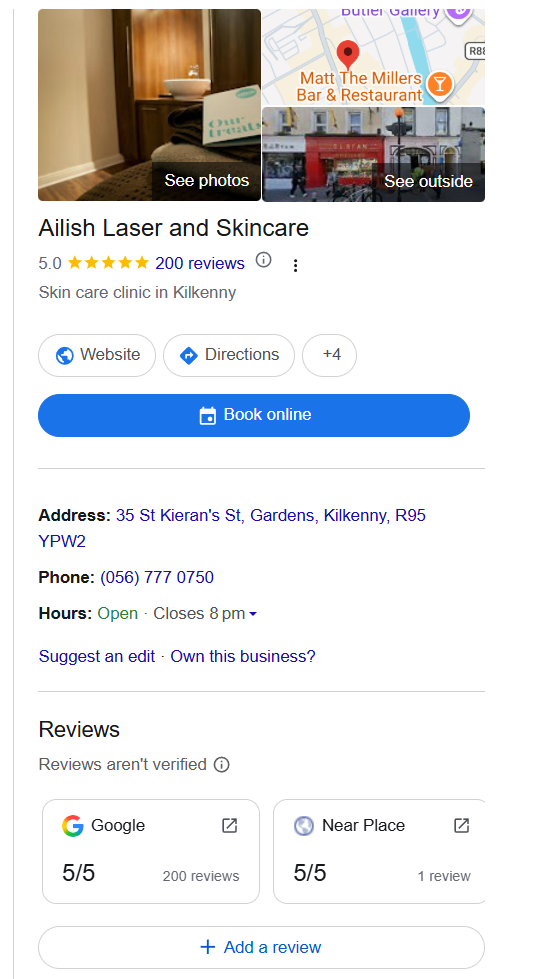
When someone searches for your business name or looks for a treatment in your local area, your Google Business Profile can display important information about your clinic, including:
Your business name and location.
Opening hours and contact information.
Website and available booking links.
Photographs of your salon, clinic and team.
Treatments and services you offer.
Google reviews and customer ratings.
Directions to your business.
For a potential client who has never visited your clinic before, this information can help them decide whether to explore your services, visit your website or make an appointment.
More importantly, they can access much of this information without needing to search through your social media pages.
Why is a Google Business Profile Important For Salons and Aesthetic Clinics?
Think about how you personally search for a business you've never visited before.
You might type something into Google, look at the businesses that appear, compare their reviews, browse a few photographs and click through to their website.
Your potential clients are doing exactly the same thing.
For a salon or clinic, particularly one offering treatments such as laser hair removal, advanced facials, skin rejuvenation or aesthetic treatments, being visible during this research stage can be incredibly valuable.
1. It Helps Local Clients Discover Your Business
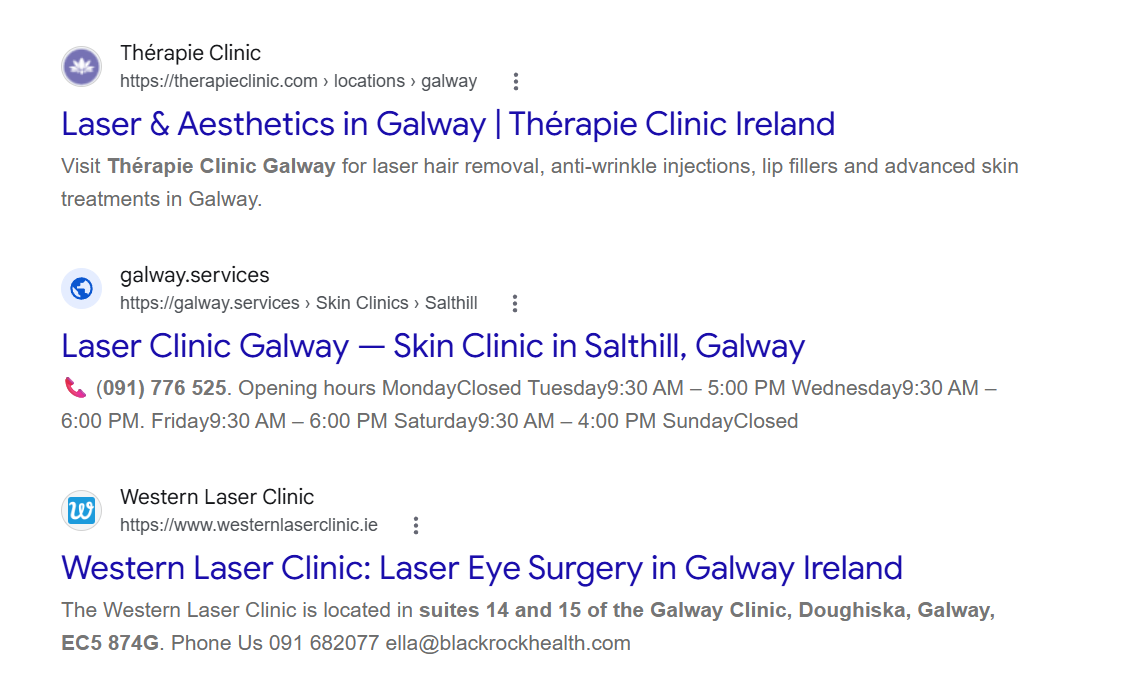
When someone searches for a service in a particular area, Google may display a map alongside relevant local businesses.
This is commonly referred to as the Google Map Pack or Local Pack.
For example, someone searching for "laser clinic in Galway" may see a selection of local clinics, complete with reviews, locations and links to their websites.
Having an eligible Google Business Profile gives your business the opportunity to appear in these local results.
However, simply creating a profile doesn't guarantee a position in the top three results.
2. It Builds Trust Before a Client Contacts You
For many clients, particularly those considering more advanced skin or aesthetic treatments, choosing a clinic isn't necessarily an impulsive decision.
They want to feel confident that they're choosing an experienced, reputable business.
Your Google Business Profile gives them an opportunity to explore your clinic before making contact.
Professional photographs, accurate information, genuine customer reviews and a well-presented website can all contribute to that first impression.
3. It Makes Contacting Your Clinic Easier
Your Google Business Profile can provide potential clients with quick access to your phone number, website, directions and booking options.
The fewer obstacles someone encounters when trying to contact your business, the easier it becomes for them to take the next step.
4. It Supports Your Wider Local SEO Strategy
Your Google Business Profile is one part of your overall local search engine optimisation strategy.
Your website, treatment pages, local content and business information also play an important role in helping search engines understand what your clinic offers and where it operates.
RELATED READING: How to Optimise Your Aesthetic Clinic's Website for Local SEO
How To Create A Google Business Profile For Your Salon or Clinic
If you've never created a Google Business Profile before, don't worry. The process is relatively straightforward, although Google may require you to complete verification before your profile becomes fully available.
Before you begin, I'd recommend having your business name, address, phone number, website and opening hours ready.
STEP 1: CHECK WHETHER YOUR BUSINESS ALREADY HAS A GOOGLE PROFILE
Before creating a new listing, search for your salon or clinic on Google Search or Google Maps.
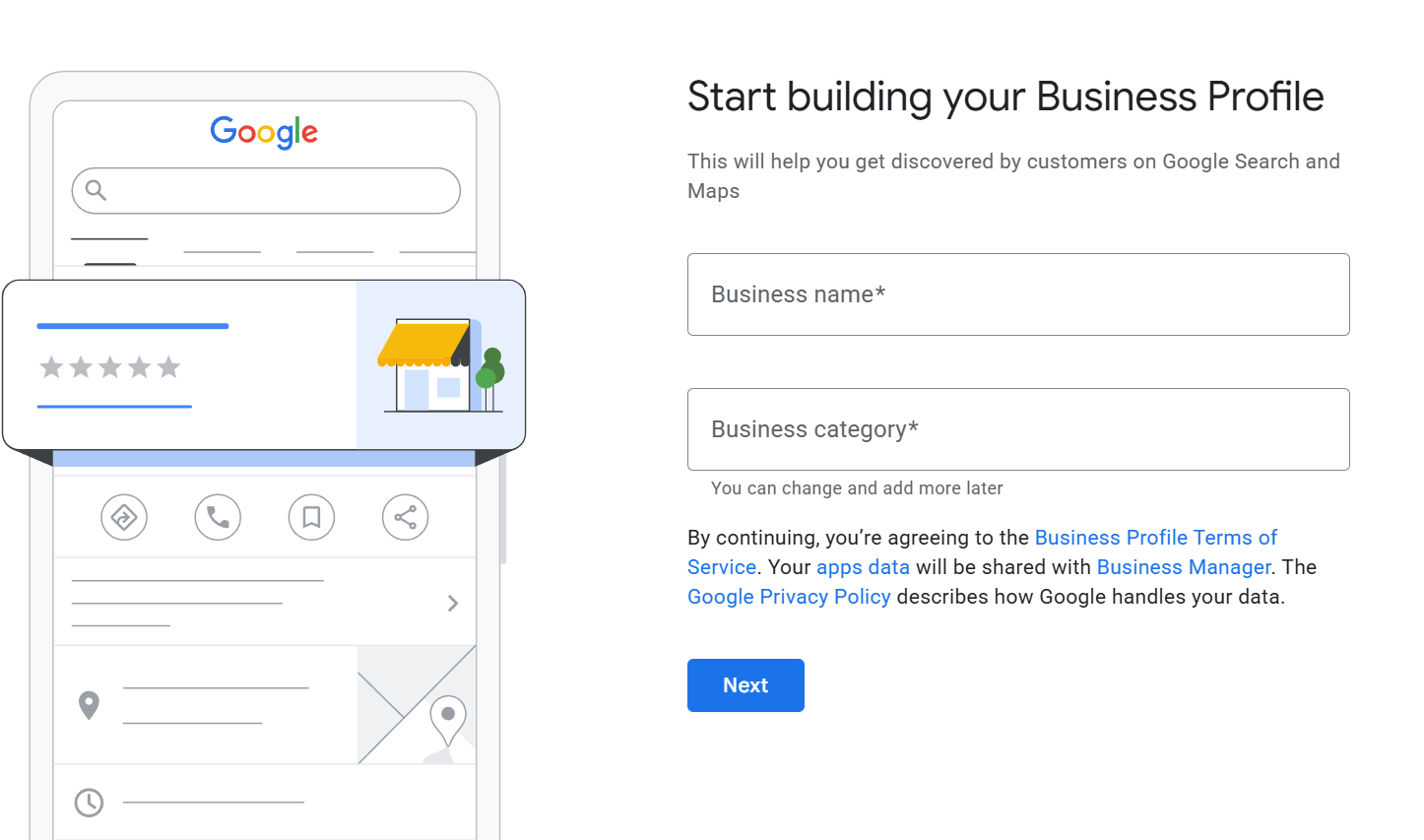
You may discover that a business profile already exists, even if you've never personally created one.
If your business is already listed, look for the option to claim or manage the profile.
If someone else currently manages the listing, you may need to request access.
Important: Avoid creating a duplicate listing for the same clinic location. Duplicate profiles can create confusion and may need to be resolved through Google's support process.
STEP 2: CREATE YOUR GOOGLE BUSINESS PROFILE
If your business doesn't already have a listing, visit:
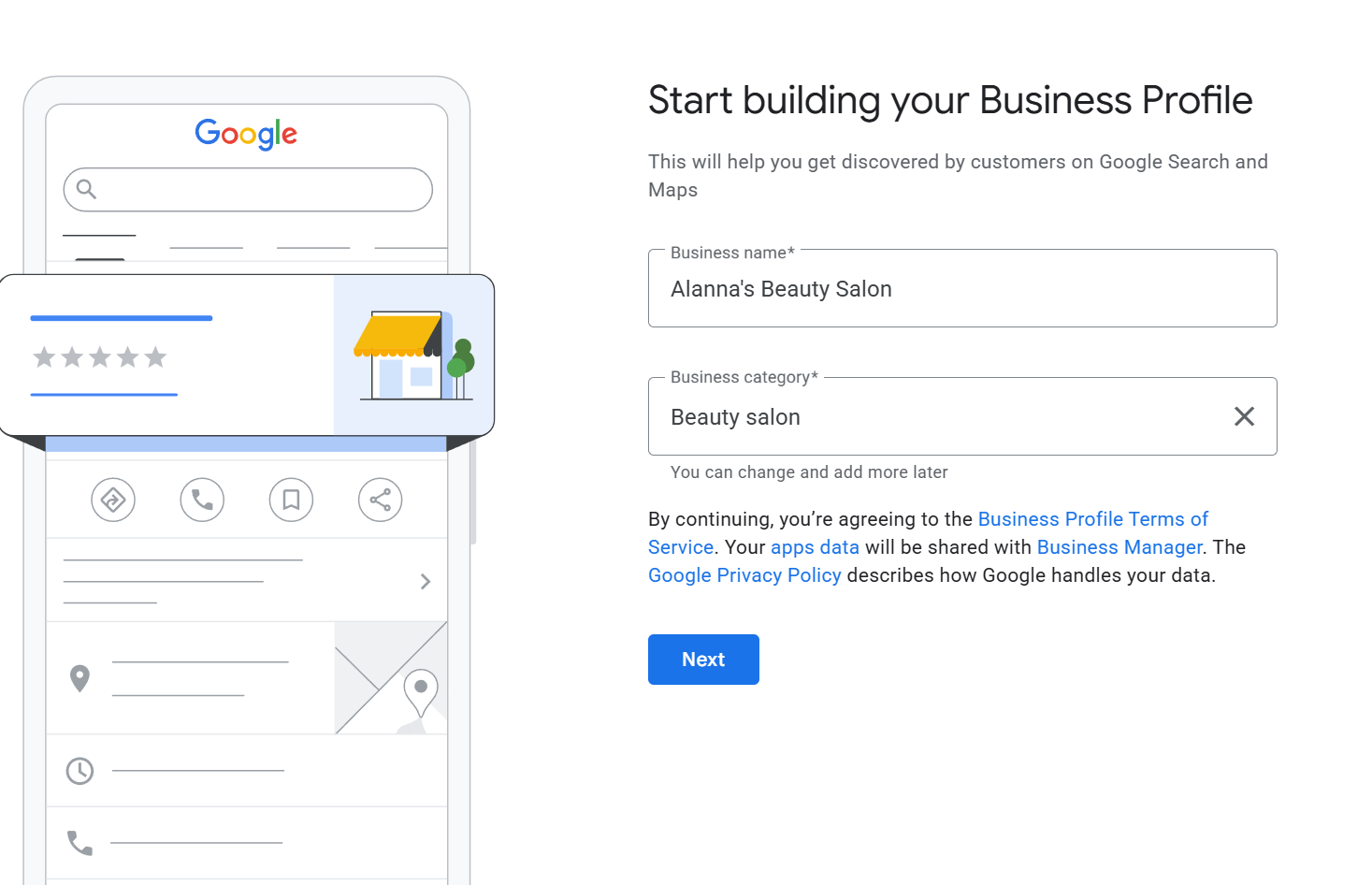
https://business.google.com/add
Sign in using the Google account you want to associate with your business.
I'd recommend using an account that the business owner can retain access to, rather than relying solely on an employee or external marketing agency.
Follow the instructions to add your business name and begin setting up your profile.
STEP 3: CHOOSE THE MOST RELEVANT BUSINESS CATEGORY
This is one of the most important parts of setting up your Google Business Profile.
Your primary business category helps Google understand the type of business you operate.
Depending on your services and the categories Google currently makes available, relevant options might include:
Beauty salon.
Skin care clinic.
Laser hair removal service.
Medical spa.
Facial spa.
Choose the category that most accurately represents your core business rather than selecting a category simply because you think it might attract more searches.
You may also be able to add relevant secondary categories.
For example, a clinic that primarily specialises in laser hair removal but also offers advanced skin treatments might have a different primary category from a traditional beauty salon.
The key is accuracy.
STEP 4: ADD YOUR BUSINESS LOCATION AND CONTACT DETAILS
Next, you'll be asked to enter information about your business.
For salons and clinics with physical premises, this will generally include your business address.
Make sure the address is accurate and that clients can genuinely visit your business at that location.
You should also include:
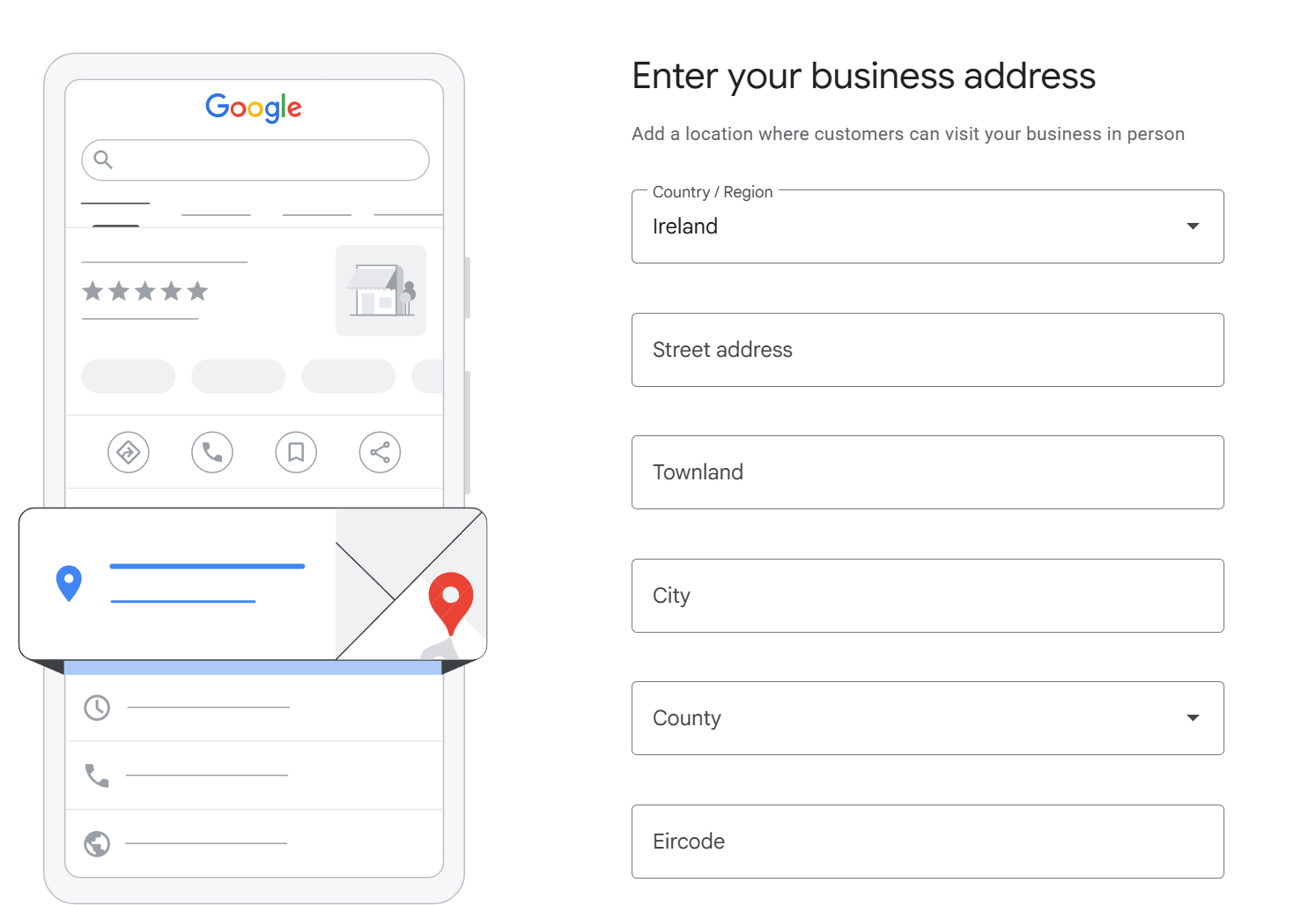
Your main business phone number.
Your website address.
Your regular opening hours.
Any additional contact or booking options Google makes available.
Keep these details consistent with the information displayed on your website.
If your clinic has different opening hours during bank holidays, Christmas or other seasonal periods, remember to update them.
An incorrect opening time might seem like a small detail, but it can create a frustrating experience for someone who has travelled to your clinic.
STEP 5: VERIFY YOUR BUSINESS
Google requires businesses to verify their profiles.
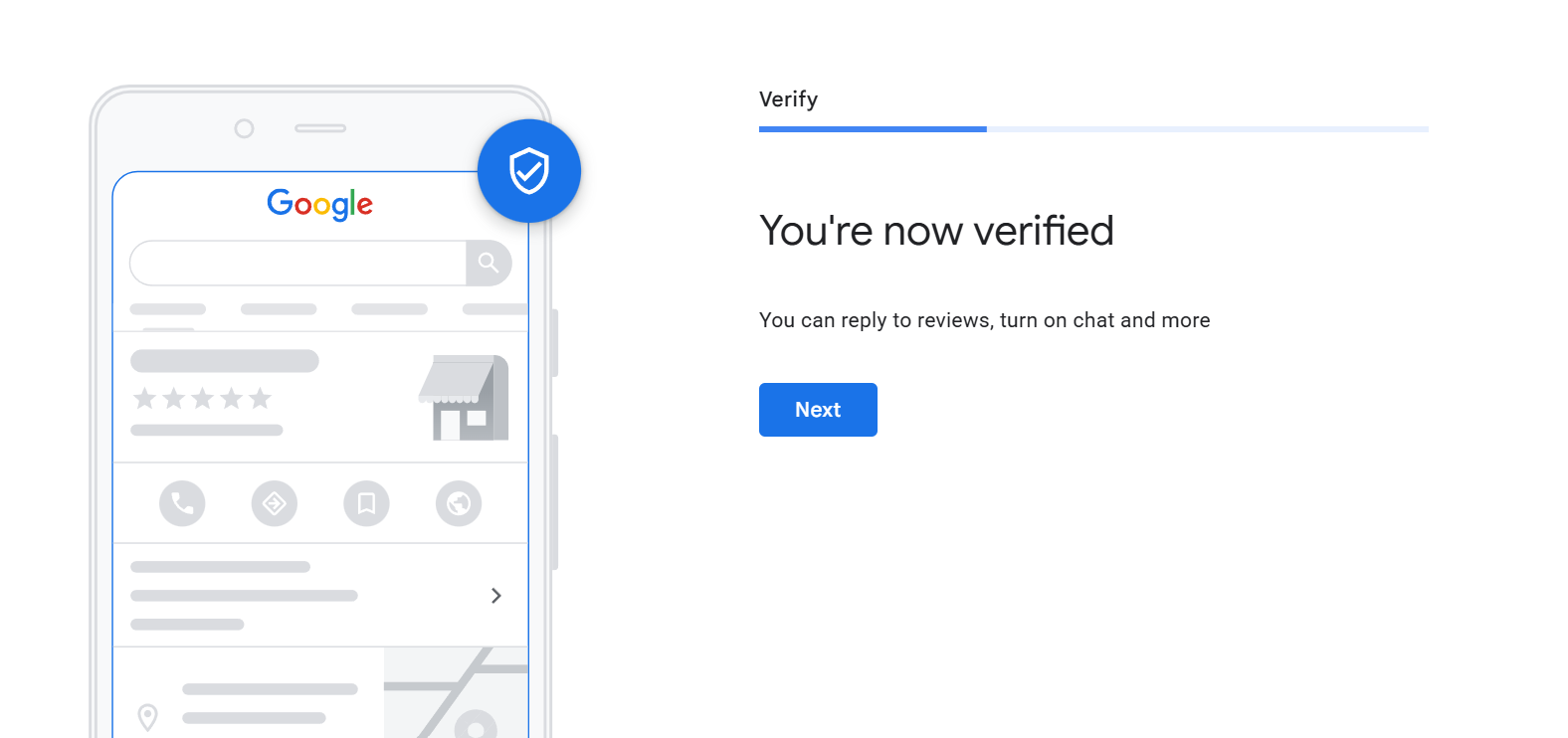
The verification method available to you will depend on your business and Google's requirements.
You may be offered options such as video verification, phone, email, postcard or other methods.
Follow the verification instructions displayed in your account.
Some businesses may be required to provide evidence of their premises, signage or business operations.
Verification can take time, so don't leave this until the day you want to start promoting your clinic.
External link: https://business.google.com/add
How to Optimise Your Google Business Profile To Attract More Clients
Creating your profile is the first step.
But if you want to make the most of it, you need to ensure that the information displayed is accurate, useful and relevant to the treatments your clinic provides.
Here's where I'd recommend focusing your attention.
1. Add Your Treatments and Services
One of the biggest missed opportunities I see with salon and clinic marketing is failing to clearly communicate the services a business offers.
Your Google Business Profile should reflect your actual treatment menu.
For example, depending on your clinic, this might include:
Laser hair removal.
Skin consultations.
HydraFacial treatments.
Microneedling.
Chemical peels.
Skin rejuvenation.
Advanced facial treatments.
Add the services that are genuinely available at your clinic, using the most relevant categories and service options provided by Google.
Where appropriate, include clear descriptions that help potential clients understand what the treatment involves.
Avoid stuffing your descriptions with repeated keywords or making exaggerated treatment claims.
Your aim should be to make the information useful to someone researching your clinic.
2. Upload High-Quality Photographs
Your Google Business Profile is often one of the first places a potential client will see your clinic.
And first impressions matter.
I recommend uploading a selection of professional, authentic photographs, including:
Your clinic exterior: Help new clients recognise your premises when they arrive.
Your reception and treatment rooms: Give potential clients a feel for the environment and standard of your clinic.
Your team: Introduce the people behind your business and build familiarity before an appointment.
Your equipment and treatment environment: Where appropriate, show the facilities and technologies available at your clinic.
Your branding: Include professional imagery that reflects your overall brand identity.
You don't need to arrange an expensive photoshoot solely for Google, but I would avoid relying entirely on stock photographs.
Real imagery gives potential clients a much clearer understanding of the experience they can expect.
Also, remember that Google may select which photographs appear most prominently, so uploading a cover image doesn't guarantee it will always be the first image people see.
3. Make It Easy for Clients to Book
Your Google Business Profile should make it as simple as possible for someone to take the next step.
Where available, include your website and relevant booking links.
If your clinic uses an online booking system, check whether it can be connected through Google's supported booking options.
But there's something else I'd encourage you to think about.
Where are you sending people when they click through to your website?
If someone searches for laser hair removal, discovers your clinic on Google and clicks through to your website, they should be able to find the information they're looking for without having to search through multiple pages.
This is why your website and Google Business Profile should work together.
A beautifully designed website means very little if potential clients can't find the relevant treatment information or understand how to book.
One mistake I would avoid is trying to make your Google Business Profile appeal to absolutely everyone.
If your clinic specialises in advanced skin treatments, your profile should clearly communicate that expertise. The goal isn't simply to appear in more searches. It's to attract people who are actually looking for the services you provide.
How To Get More Google Reviews For Your Salon or Clinic
Google reviews can play an important role in helping potential clients feel confident about choosing your business.
Think about it.
If you're comparing two clinics offering similar treatments, would you be more inclined to explore the clinic with recent, detailed reviews from genuine customers?
For many people, reviews are part of the research process.
They can also contribute to your business's prominence in local search results, although review numbers alone don't determine your rankings.
How to Find Your Google Review Link
Once your Google Business Profile is verified and accessible:
Sign in to the Google account that manages your profile.
Search for your business on Google.
Open the option to read or manage reviews.
Look for the option to get more reviews or share a review link.
Copy the review link or download a QR code if that option is available.
Google's interface changes occasionally, so the wording may differ depending on your account.
When Should You Ask Clients for a Review?
I'd recommend making review requests part of your normal client communication process.
For example, you could include a review request in your appointment follow-up emails or send a polite message after a client's visit.
The important thing is to ask for genuine feedback without pressuring the client or offering incentives.
Avoid offering discounts, complimentary treatments or other rewards in exchange for reviews.
You should also avoid requesting reviews only from clients you believe will leave positive feedback.
Hi [First Name],
Thank you so much for visiting us recently. We really appreciate you choosing our clinic and would love to hear about your experience.
If you have a moment, we'd be grateful if you could share your honest feedback through our Google review page.
[INSERT GOOGLE REVIEW LINK]
Thank you again for your support!
[CLINIC NAME]
Don't Forget to Respond to Your Reviews
Where appropriate, take the time to respond to reviews professionally.
Thank clients for their feedback and address concerns respectfully.
For skin and aesthetic clinics, remember to protect client confidentiality. Avoid publicly confirming sensitive treatment details or personal information when responding.
How Can Your Salon or Clinic Appear Higher On Google Maps?
This is one of the questions I would expect many clinic owners to ask.
Unfortunately, there isn't a shortcut that guarantees your business a position in the top three Google Maps results.
Google explains that local rankings are mainly influenced by three factors:
1. Relevance
How closely your business matches what someone is searching for.
For example, if a person searches for laser hair removal, Google needs to understand whether your clinic genuinely offers that service.
This is why accurate business categories, treatment information and a complete profile are important.
2. Distance
How far your business is from the location used in the search.
Someone searching for a skin clinic in Dublin may see different results from someone searching in Cork.
Google may also use the searcher's estimated location when no specific place is included.
3. Prominence
How well-known and established your business appears to be, based on the information Google can find.
Factors such as reviews, links and other information about your business can contribute to prominence.
This is another reason why I encourage clinics to think beyond their Google Business Profile and invest in their overall online presence.
External link to Google's official local ranking guidance:
Five Common Google Business Profile Mistakes To Avoid
Even if you've already created your profile, it's worth checking whether you're making any of these mistakes.
-
Incorrect opening hours, an old phone number or a broken website link can create unnecessary obstacles for potential clients.
-
If you offer a range of advanced treatments but your profile only identifies your business as a general beauty salon, you could be missing opportunities to communicate what makes your clinic different.
-
If you've recently renovated your clinic, invested in new equipment or expanded your team, make sure your Google profile reflects your business today.
-
You don't need to constantly chase clients for reviews, but having a simple and consistent process can help you build a more useful collection of customer feedback over time.
-
Appearing in Google Search is only one part of the client acquisition process.
Your website needs to help visitors understand your treatments, trust your expertise and know how to contact or book with your clinic.
Your Google Business Profile Checklist
Whether you're setting up your profile for the first time or reviewing an existing listing, use this checklist to make sure you've covered the essentials.
Setting Up Your Profile
- Check whether your business already has a profile.
- Create or claim your Google Business Profile.
- Select the correct business categories.
- Complete verification.
Business Information
- Check your business name, address and phone number.
- Add your website and booking links.
- Confirm your opening hours.
Treatments and Images
- Add your treatments and services.
- Upload photographs of your clinic and team.
- Check your service descriptions.
Ongoing Optimisation
- Request genuine customer reviews.
- Respond to feedback professionally.
- Review your profile information regularly.
Frequently Asked Questions
-
Yes. Creating and managing a Google Business Profile is free.
Google also offers paid advertising products, but you don't need to run Google Ads to create a business profile.
-
Not necessarily.
Eligible businesses can create a Google Business Profile without having their own website.
However, I would strongly recommend having a professional website for your salon or clinic.
Your website gives potential clients somewhere to explore your treatments in greater detail, understand your expertise and take the next step towards making a booking.
-
It depends on the verification method Google requires and whether additional checks are needed.
Some verification processes may be completed relatively quickly, while others can take longer.
Follow the instructions provided in your account and allow sufficient time before planning any campaigns that depend on the listing being active.
-
There are several possible reasons.
Your profile may still require verification, your information may be incomplete, your business may not be eligible, or your listing may not rank prominently for the search you're testing.
It's also worth checking whether you're searching from a location that differs from your clinic's area.
Remember, creating a Google Business Profile doesn't guarantee a particular ranking.
-
I'd recommend reviewing your profile at least once a month and whenever important business details change.
Check your opening hours, contact information, treatments, photographs and booking links.
It's also worth monitoring your reviews and available performance data regularly.
Is Your Clinic Missing Out on Local Google Searches?
Is Your Clinic Missing Out on Local Google Searches?
Your Google Business Profile, website and booking process should all work together to turn local searches into enquiries.
Discover where your clinic could improve its online visibility.
BOOK YOUR COMPLIMENTARY WEBSITE AUDITRelated Articles
About The Author - Alanna
Recognised Industry Expert:
Alanna began her career over 10 years ago as a beauty therapist. She worked nationally and internationally in Ireland and Australia as a beauty therapist, clinic manager & business development manager.

During her time in these roles, her passion for the industry and ability to help salons grow flourished.
In 2021, Alanna founded Glow Up Marketing, a marketing agency that specialises in the hair, salon, and aesthetic industries. By marrying her salon industry experience with her marketing expertise, she helps salon owners grow their business online and attract more clients. In 2023, she expanded Glow Up Marketing into the Australian market while continuing to grow her client base in Ireland. Over the last 5 years, Glow Up Marketing has helped hundreds of salon owners through trainings, social media management, marketing strategies and paid ads.
Alanna has been recognised as an industry expert for the last 3 years. She was part of the @probeautyhairireland Judging panel for the PBHJ Beauty, Hair & Spa Awards in 2023, 2024 and 2025.